Draft replies
Help write a response using the incoming text, subject and authorised conversation context.
Help understand messages, prepare drafts and write replies suited to the conversation and the business identity.
The English ASMA Shop email and correspondence workspace. Drafting is independent of sending a message.
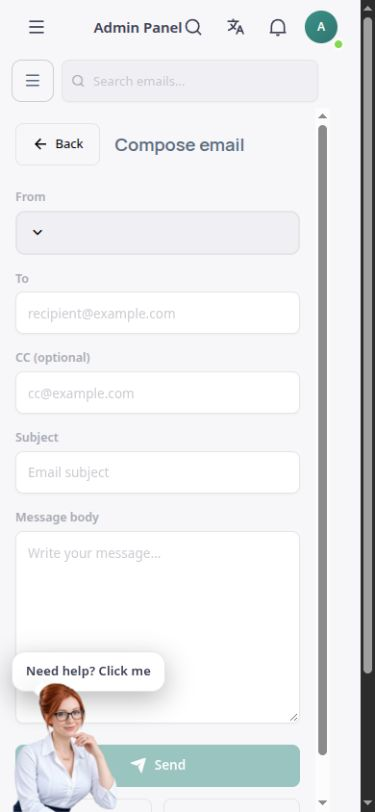
Sara can explain an authorised message and prepare a draft reply. In the email workspace, the subject and message body provide the basis for a response, while the brand’s tone and the correspondence language can be reflected in the suggested text.
For customer-related administrative correspondence, the internal tool prepares a draft using that customer’s information and latest recorded order. Preparing or saving a draft is different from sending it. Actual delivery uses a connected email account or communication channel with valid authority.
Help write a response using the incoming text, subject and authorised conversation context.
Explain the customer’s message in the team member’s language to help them understand the request and choose a suitable reply.
Use the business identity as context for replies when the relevant settings and service are available.
Prepare an administrative draft for a specified customer using authorised records from the same store.
The internal draft-saving flow requires owner access and specific confirmation and is separate from external sending.
Suggested replies are prepared for team review. The subject, recipient, content and intended action must be checked.
In an authorised email or customer communication workspace, specify the correspondence topic and what you need.
Read the wording, language, tone and customer information, then make the necessary changes.
Save the draft or send it through a connected channel with the required access. Check the sending result separately.
Sara’s text is a starting point that should be finalised for the objective and recipient.
Preparing or saving a draft does not itself send a message to the recipient.
Actually reading or sending email or messages requires a valid account connection and access for the same store.
Answers to practical questions about Correspondence drafting.
No. Generating or saving a draft is not sending. Delivery requires a connected channel, permission and a separate action.
The internal tool can prepare a draft from authorised customer information. Receiving and sending actual emails requires a valid email service connection.
Yes. An authorised person should check the recipient’s name and address, record information, tone and commitments before sending.