Real catalogue and search
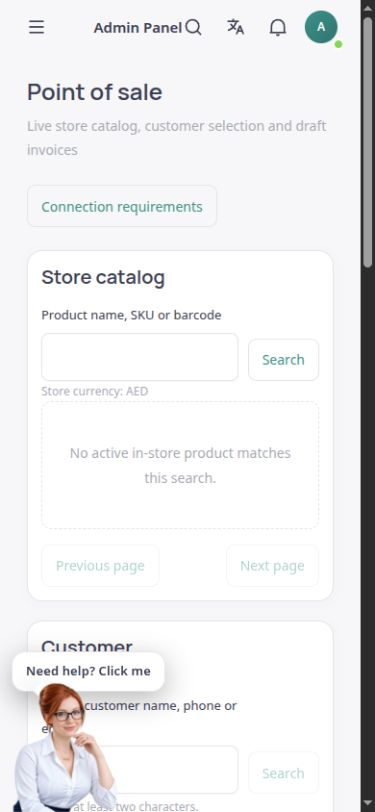
Find the same store’s active products eligible for in-person sales by name, SKU or barcode. Prices appear in the original currency alongside sellable stock.
Manage the real catalogue, customer, basket and pro forma invoice in one English workspace. Final sales recording becomes available after a genuine device and valid shift have been set up.
The English ASMA Shop point of sale: catalogue, basket, and device and shift setup steps.
The ASMA Shop point of sale connects the store’s active catalogue to product name, SKU and barcode searches. Selected products enter a temporary basket, with quantities, prices, sellable stock and the pro forma total available for review on the same page.
Customers can be found in the same store’s genuine records and selected for the pro forma invoice. Preparing a basket or printing a pro forma invoice does not create an order or payment. The pro forma is clearly distinguished from a recorded sale receipt.
To begin real sales, an administrator must register the actual checkout browser and computer for the relevant store location, then open a shift with the actual opening cash amount. The server reviews final prices and inventory, and a cash sale is recorded only after actual receipt of cash is confirmed.
Find the same store’s active products eligible for in-person sales by name, SKU or barcode. Prices appear in the original currency alongside sellable stock.
Add products, change quantities or remove a line. Stock and currency differences are checked before preparing the pro forma invoice.
Search existing customers by name, phone or email and select a record from the same store. Creating a customer is not required to use the page.
Review the basket and preliminary amount and print an unpaid pro forma invoice. Printing it does not record a sale or payment.
On the same page, specify the actual store location, device name and owner confirmation to register the checkout browser. Open and close shifts using the actual cash amounts.
After valid setup, prices, tax, warehouse stock and the final amount are calculated again. The operator must confirm cash receipt, and the receipt is linked to the recorded order.
In the dedicated checkout browser, register the actual store location and device name, then open a shift with the real opening cash amount.
Select products and quantities, specify the customer and warehouse where needed, and retrieve current prices and stock.
Check the server’s final calculation. Confirm the sale only after actually receiving cash. The recorded receipt is distinguishable from the pro forma invoice.
Catalogue, customer, warehouse, device and shift checks all remain within the same tenant and authorised account.
Device authentication information stays on the server. The browser is bound to that store’s device and account, and a sale cannot be finalised without a valid shift.
Prices and inventory are checked again before final recording. If they have changed, the pro forma needs review. Duplicate-request controls also prevent one request from producing several sales.
Answers to practical questions about Point of sale.
No. Searching, selecting products and printing a pro forma do not create a sale or payment transaction. The pro forma is unpaid and separate from the sale receipt.
A recorded sale must be tied to an actual device and an authorised operator from the same store. At initial setup, an administrator explicitly registers the checkout browser, then opens a shift with the real opening cash amount.
No. This flow records actual cash received. A gateway or card terminal, and confirmation of electronic payment, require a valid connection to the relevant provider and should not be assumed active just because a button appears.