Complete product information
Enter and edit the name, short and full descriptions, page URL and product specifications in a dedicated form.
Manage your store catalogue in one organised workspace, from information and images to prices, attributes and publication.
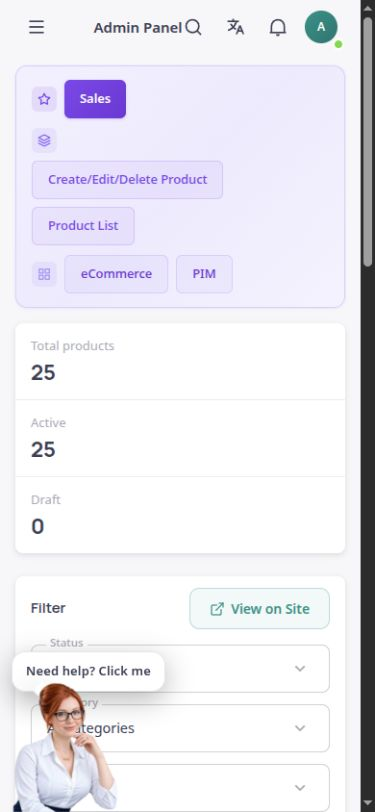
The actual ASMA Shop product section with an English interface, captured from the existing environment.
Every product needs clear, reliable information. In ASMA Shop, its name, descriptions, prices, images and specifications are brought together in one record, keeping catalogue management connected to what appears in the store.
The product list lets you search and narrow the results by status, category and brand. A product can be a draft, active or archived, allowing it to be prepared before it becomes publicly visible.
For products with different options, variants are available with their own SKUs and inventory. Configurable categories, brands and attributes help you record information appropriate to your business.
Enter and edit the name, short and full descriptions, page URL and product specifications in a dedicated form.
Manage the main image, hover image and gallery images, together with alternative text and image descriptions.
Keep the selling price, cost price and comparison price in the product record, so displayed prices and discounts are based on recorded information.
Assign categories and brands, and define attributes such as colour, size or technical specifications to suit the store.
Manage variants with separate SKUs and inventory. Variants can be added after the base product has been created.
Keep a product as a draft, publish it or archive it, and choose which homepage section should display it.
Enter the title, descriptions and price, then assign the category, brand and relevant images.
Review the attributes and SEO information, along with variants and inventory where needed.
Check the information before publication, then choose the appropriate visibility status for the store.
Find products by name and by category, brand and status filters, and browse them across pages.
The product form includes SEO titles and descriptions, keywords, the page URL and image alternative text.
Manage product content in the selected content language. Changes to the source text can indicate that a translation needs review.
Answers to practical questions about Product management.
No. A draft is for preparation. To become publicly visible, the product must be saved with the appropriate status and publication option.
Yes. Variants are managed with independent SKUs and inventory. Create the base product first, then add its variants.
No. Generated text and suggestions must be checked against the actual product information. The store remains responsible for prices, specifications and image usage rights.