Account balances
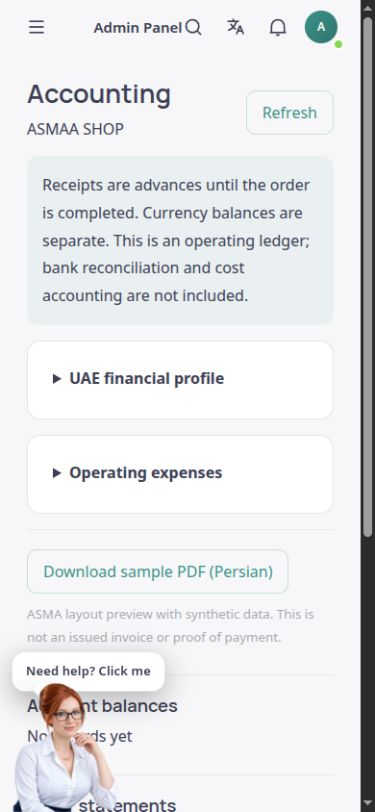
View financial account balances by currency and account name, distinguishing debit and credit positions.
Follow order finances, account balances and operating expenses in an accessible ledger.
Sales accounting and the financial ledger in the English ASMA Shop reference template.
The ASMA Shop accounting section shows the financial effects of store operations. Account balances, order invoices and journal entries are brought together on one page, keeping financial follow-up connected to sales.
Amounts received are treated as customer advances until the order is completed, and currencies are kept separate. Each order invoice can be viewed, printed or downloaded as PDF, with its amounts available in the original order currency.
Operating expense entries retain the description, payee, reference and cash or bank account alongside the amount and date. This is the store’s operational ledger, rather than a replacement for comprehensive accounting, bank reconciliation or professional tax review.
View financial account balances by currency and account name, distinguishing debit and credit positions.
See the invoice number, customer, order, status and amount together, and obtain a printable or PDF copy.
Open financial entries by description and date, then review each entry’s debit and credit lines.
Record an expense with its date, amount, currency, payee, reference, description and the cash or bank payment account.
To reverse a recorded expense, create a reversal entry with a date and reason while retaining the original history.
Configure and review the base currency, financial year start, accounting basis and tax rule information in the financial profile.
View balances and the currencies involved, then open the relevant order or invoice.
Enter a genuine expense with its description and reference. Use a reversal entry when a correction is required.
Review the journal and invoices, and investigate discrepancies using actual records and an accountant’s advice.
Amounts retain the original transaction currency. A converted display should not be confused with actual settlement.
Invoices can be traced to store operations through their order numbers.
For existing invoices, viewing, printing and PDF download are available from the same record.
Answers to practical questions about Sales accounting.
No. This operational ledger does not include bank reconciliation or cost accounting. Final financial review should use supporting records and an accountant’s advice.
No. Expenses are recorded at their gross amounts. Input tax deductions and corporate tax calculations are not automatic. Configuring a financial profile does not constitute tax approval or filing.
No. Under the current ledger logic, receipts are customer advances until the order is completed. The actual order and payment status must be checked in their records.