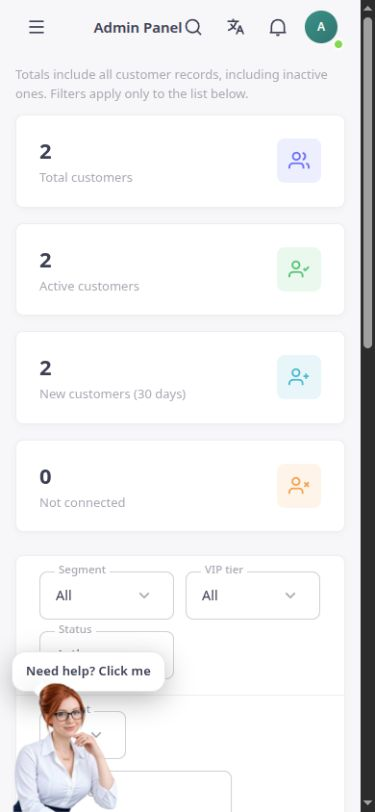
Customer list
View names, email addresses, cities, countries and order counts in a searchable, paginated list.
Keep contact information, addresses and each customer’s order history in one accessible record.
Customer management in the English ASMA Shop reference template.
When customer information is scattered across different places, responding and following up become harder. The ASMA Shop customer section keeps basic information and access to each customer’s purchase history within the store management workspace.
The customer list supports searching, adding, editing and opening records. Names, contact information, city and country appear alongside order counts to help you find the right customer more quickly.
The individual customer record links to orders, addresses, notes and loyalty point information. This recorded history gives sales and support teams the context they need to handle requests more accurately.
View names, email addresses, cities, countries and order counts in a searchable, paginated list.
Enter or edit the customer’s first name, last name, email, mobile number and delivery information.
Open each customer’s overview and the sections related to orders and saved addresses.
Write down information needed to handle the customer’s requests and retain it for future reference.
View recent orders with their dates, statuses and amounts, and open the full order list for that customer.
Review the point balance, total points earned and spent, and the recorded change history in the loyalty section.
Search the list first. If needed, create a new record using genuine information.
Check contact details and addresses, then add notes the handling team needs.
For the next response, review that customer’s orders and history from their record.
The customer record connects basic information to orders and the history recorded in the store.
Saved addresses can be viewed and managed in their dedicated record section.
The customer list provides a CSV export option so the information you can access can be used in a file.
Answers to practical questions about Customer management.
No. Records must belong to the same store and be managed within the account’s access rights. This section does not provide shared customer information across independent businesses.
This page shows the existing balance and history. Earning, spending and expiry rules need to be checked against the store’s settings and actual operations.
Daily use requires genuine, authorised information. The introduction image is captured from the existing English interface, so a test account is not needed to show it.